Last night I turned off my computer and I turned it back on this morning and it made this really wired whirling and ticking sound. So obviously I replace the hard drive with one I had laying around and turn it back on. Sound is still going on. I chechked the fans by stoping them while it was on but the noise was still going.
The sound sounds like it's coming from the top of the case. The cd light s flashing and I think I may have a cd in there. I haven't used it in a while. And I really dont think it's the power supply.
I hit the power button, whirling starts, it ticks about 2 times a second, then after about 5 seconds it turns off then turns on and starts again.
It's been on for a few days but I don't think I've even downloaded anything. I can't get the cd drive to open while it's on either.
So anyone have this problem before and/or know how to fix it?
Computer won't turn on?
Moderator: Moderators
-
eagle5953
- Moderator
- Posts: 1892
- Joined: Mon Jul 07, 2008 5:06 pm
- 360 GamerTag: eagle5953
- Steam ID: eagle5953
- Contact:
Re: Computer won't turn on?
For starters, find the little hole in the front of the CD drive and stick a pin in there. That will open up the drive so that you can get the disk out. Power doesn't need to be on, or even plugged in.
Then see if the noise is gone and report back.
Then see if the noise is gone and report back.
-
thewise1
- Portablizer Extraordinaire
- Posts: 1413
- Joined: Sun Jan 04, 2009 8:18 pm
- Location: Sitting on my pile of authentic minnesota dirt
Re: Computer won't turn on?
Wow, it's so small I've never even seen that before thanks.
Unfortunately it didn't do anything. Which only leaves the last fan, the power supply. So it's either that or something is causing the hard drive thats's working fine to act that way.
Unfortunately it didn't do anything. Which only leaves the last fan, the power supply. So it's either that or something is causing the hard drive thats's working fine to act that way.

-
antrock101
- Posts: 128
- Joined: Fri May 22, 2009 7:24 am
Re: Computer won't turn on?
ive had similar problems, first step check for any shorting on the case lift the motherboard out and rest it on a non static and none metallic base. if it now works your sorted, next step remove everything you dont need or minimize it. some ram out ect cd drives. now if you boot is fine and loads to the system failure bit no hard drive attached. somthing attached is messing with it. if its still messed up after this i would presume the power supplies knacked get a multimeter out check it, careful with this you might wanna check how to do it as your playing with electrics. if after reading the supplie thats fine. then i would take a stab at the motherboard being blown, however i doubt this as usally the powersupply will keep the fan rolling on to save the cpu.
people might disagree but this is how i usally fix my problems .
remeber once your sorted clean everything out check your heat syncs and fans tidy your wiring to allow more air to flow through.
people might disagree but this is how i usally fix my problems .
remeber once your sorted clean everything out check your heat syncs and fans tidy your wiring to allow more air to flow through.
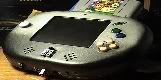
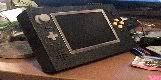
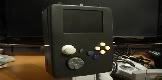
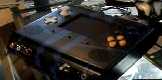
HOLY FREAKIN MOTHER OF JESUS CHRIST! THAT CASE IS HUGE!
Perhaps you may buy a smaller one.
-
thewise1
- Portablizer Extraordinaire
- Posts: 1413
- Joined: Sun Jan 04, 2009 8:18 pm
- Location: Sitting on my pile of authentic minnesota dirt
Re: Computer won't turn on?
I'm about to move in to another room in my house, so all my stuff is getting packed up right now. Once I'm in my new room everything is going to be clean and I can have a nice clear place to take everything out of the case and test it. Won't be for another few days though, I'll get back to you.
Re: Computer won't turn on?
I almost fully assure you that is a failing power supply. It may be able to supply the small voltages required by fans, the CD, etc, but the larger 4-pin processor connector or the ATX connector may not be getting enough power. The ticking is probably the transformer. Replace the whole thing!
...
-
thewise1
- Portablizer Extraordinaire
- Posts: 1413
- Joined: Sun Jan 04, 2009 8:18 pm
- Location: Sitting on my pile of authentic minnesota dirt
Re: Computer won't turn on?
I can try that before I completely take it apart. Glad I kept the old power supply.
-
thewise1
- Portablizer Extraordinaire
- Posts: 1413
- Joined: Sun Jan 04, 2009 8:18 pm
- Location: Sitting on my pile of authentic minnesota dirt
Re: Computer won't turn on?
THANK YOU BIBIN!!!
My computer works great now with my old power supply. The fan on the supply was 120mm, so that's why it sounded loud enough to sound like my hard drive. And now I know what a failing transformer sounds like.
THANKS GUYS!!
My computer works great now with my old power supply. The fan on the supply was 120mm, so that's why it sounded loud enough to sound like my hard drive. And now I know what a failing transformer sounds like.
THANKS GUYS!!
-
antrock101
- Posts: 128
- Joined: Fri May 22, 2009 7:24 am
Re: Computer won't turn on?
meh i said it first and my post was bigger! 
HOLY FREAKIN MOTHER OF JESUS CHRIST! THAT CASE IS HUGE!
Perhaps you may buy a smaller one.
-
thewise1
- Portablizer Extraordinaire
- Posts: 1413
- Joined: Sun Jan 04, 2009 8:18 pm
- Location: Sitting on my pile of authentic minnesota dirt
Re: Computer won't turn on?
I'm sure I could have told where the sound was coming from when everything is out of it's case. But I think that it was a much simpler fix.