MOONLIGHT64 Finished 05/24/09
Moderator: Moderators
-
thewise1
- Portablizer Extraordinaire
- Posts: 1413
- Joined: Sun Jan 04, 2009 8:18 pm
- Location: Sitting on my pile of authentic minnesota dirt
Re: MOONLIGHT64 W.I.P!! *UPDATE:05/17/09* VIDEO OUT NOW!!!!!!
Thanks mikey.
Alright, there's one more thing I have to do before it's complete.
I need to find another spot on the screen mobo where the composite line can be re-attached. I think the trace is broken on the back of the board.
I think bacteria made a guide of how to remove the bottom of the screen board and it showed where everything can be wired to. Anybody know where that guide is?
Alright, there's one more thing I have to do before it's complete.
I need to find another spot on the screen mobo where the composite line can be re-attached. I think the trace is broken on the back of the board.
I think bacteria made a guide of how to remove the bottom of the screen board and it showed where everything can be wired to. Anybody know where that guide is?
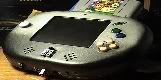
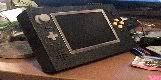
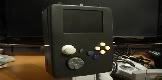
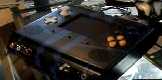

-
palmertech
- Senior Member
- Posts: 3225
- Joined: Sat Feb 02, 2008 1:40 am
- Location: California, land of the homeless and hippies
Re: MOONLIGHT64 W.I.P!! *UPDATE:05/17/09* VIDEO OUT NOW!!!!!!
His guide does not work for NTSC screens, at least on mine; The resistors have a different layout.
I will take a pic of mine tomorrow for you, sound good?
I will take a pic of mine tomorrow for you, sound good?

Excellent
-
thewise1
- Portablizer Extraordinaire
- Posts: 1413
- Joined: Sun Jan 04, 2009 8:18 pm
- Location: Sitting on my pile of authentic minnesota dirt
Re: MOONLIGHT64 W.I.P!! *UPDATE:05/17/09* VIDEO OUT NOW!!!!!!
Oh, dang. Anyway, I found out it's actually doing the same thing it did before. Backlight comes on, but no indicators or screen. This time though I just think it's the ribbon cable.
-
thewise1
- Portablizer Extraordinaire
- Posts: 1413
- Joined: Sun Jan 04, 2009 8:18 pm
- Location: Sitting on my pile of authentic minnesota dirt
Re: MOONLIGHT64 W.I.P!! *UPDATE:05/17/09* VIDEO OUT NOW!!!!!!
I checked once more before I go to school. It was just the ribbon cable.
Re: MOONLIGHT64 W.I.P!! *UPDATE:05/17/09* VIDEO OUT NOW!!!!!!
*ahem*thewise1 wrote:I checked once more before I go to school. It was just the ribbon cable.
neverused wrote:are you sure the ribbon cable is in correctly? I had something similar happen and I was trippin out until I looked saw that the ribbon was not hooked up.
-
thewise1
- Portablizer Extraordinaire
- Posts: 1413
- Joined: Sun Jan 04, 2009 8:18 pm
- Location: Sitting on my pile of authentic minnesota dirt
Re: MOONLIGHT64 W.I.P!! *UPDATE:05/17/09* VIDEO OUT NOW!!!!!!
Don't worry, I wasn't ignoring you. This was for the new screen. I checked the ribbon cable on the old screen.neverused wrote:*ahem*thewise1 wrote:I checked once more before I go to school. It was just the ribbon cable.
neverused wrote:are you sure the ribbon cable is in correctly? I had something similar happen and I was trippin out until I looked saw that the ribbon was not hooked up.
Actually I got the same problem on the new screen as the old one and I just gave it a bigger wire for ground. So my old screen might not be broken. I'm glad that I didn't start treating it like crap and throwing it around or in a junk pile.