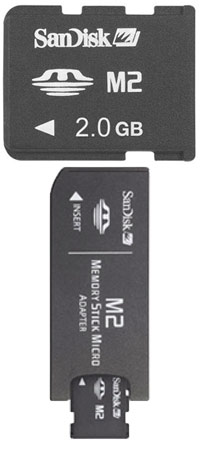
TheOnlyOneHeFears wrote:No, that's a Micro Memory Stick to Memory Stick, he was asking about a Micro SD adaptor.
Plan of action for you SS
-Get yourself a decent sized Memory Stick (at least 2 GB, Amazon has them pretty cheap)
-Install 3.40 OE-A as your firmware (there's an easy install package here)
-Get yourself some emulators from PSP-Hacks (benol recommended the best ones, just make sure you get the latest releases)
-Each emulator should have two folders, one called 'name' (e.g. Daedalus), and one called 'name%' (e.g. Daedalus%). Open up the 'name' folder, and read the readme to find out where to paste your roms (usually either in a folder called 'Roms', or simply in the 'name' folder itself.
-Copy both 'name' and 'name%', and paste them in the folder called GAME150 (X:\PSP\GAME150). They will show up under the Memory Stick section of Game on the XMB
-For PS1 Games, convert the PS1 ISO file using Popstation (also on PSP-Hacks). Put the resulting EBOOT file in a folder named after the PS1 Game (e.g. Vagrant Story), and paste this folder into the GAME folder on your PSP (X:\PSP\GAME). Again, they will show up under the Memory Stick section of Game on the XMB.
Hope this helps

VERY helpful!
SS