Inter-act PS1 Screen running on 9.6V?

If you're making a portable you probably need something to watch it on. (Unless you want to guess what's happening in the game, but I wouldn't advise that) Anyway, this forum is your "Hacking a pocket TV/screen" one-stop solution. Share your experiences and knowledge here.

Moderator: Moderators

HotDog-Cart
Portablizer
Posts: 3804
Joined: Sat Jul 16, 2005 12:07 pm
PSN Username: Lythinca
Steam ID: scythe_king
Location: Your IP Address, Connecting...
Contact:

Inter-act PS1 Screen running on 9.6V?

Post by HotDog-Cart »

Hey, question for ya'll.
Can an Inter-Act Playstation 1 Screen that takes 12V in through wall adapter, run off a 9.6 V RC Car Battery?

Im not sure, if the screen is 12V as, the adapter gives off 12V, but Im not sure if it uses it all.

Does anyone know for sure, how much Volts the Inter-act PS1 screen uses?

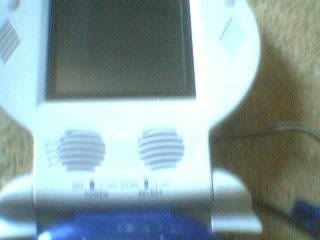
Here's what the screen looks like. (Sorry for the quality, and aim. It was using my old camera. The part that was cut out, is the label at the top that says "Inter-Act", and please ignore the bluething at the bottom.)
Image
Image
ShockSlayer
Niblet 64
Posts: 5059
Joined: Thu Jun 29, 2006 12:47 pm
Location: In my inbox.

Post by ShockSlayer »

Yes. Not enough voltage is better than too much voltage.

SS
http://twitter.com/ShockSlayer" onclick="window.open(this.href);return false;
HotDog-Cart
Portablizer
Posts: 3804
Joined: Sat Jul 16, 2005 12:07 pm
PSN Username: Lythinca
Steam ID: scythe_king
Location: Your IP Address, Connecting...
Contact:

Post by HotDog-Cart »

Okay. Does anyone know how I can hook a battery up? I know I have to open the screen case, but where do I attach the Positive and Negative wires from the battery onto the databoard?

also, Which ones positive and negative? Black Wire, or red Wire?
Image
vskid
Senior Member
Posts: 6314
Joined: Fri Mar 25, 2005 8:25 am
Steam ID: vskid3

Post by vskid »

HotDog-Cart wrote:Okay. Does anyone know how I can hook a battery up? I know I have to open the screen case, but where do I attach the Positive and Negative wires from the battery onto the databoard?

also, Which ones positive and negative? Black Wire, or red Wire?
I don't have one of those screens, but it should be fairly easy to find where to attach them, it might even be labeled if you're lucky. I do know that red is almost always positive, and black or green are almost always negative. But your battery will likely follow the rule, mine do, so red is positive, black is negative. I've never seen them switched, just different colors.
Image
HotDog-Cart
Portablizer
Posts: 3804
Joined: Sat Jul 16, 2005 12:07 pm
PSN Username: Lythinca
Steam ID: scythe_king
Location: Your IP Address, Connecting...
Contact:

Post by HotDog-Cart »

Okay, but how would I permanantly connect them? Just Solder them on? For temp, I could just hold them there, yes?
Image
vskid
Senior Member
Posts: 6314
Joined: Fri Mar 25, 2005 8:25 am
Steam ID: vskid3

Post by vskid »

HotDog-Cart wrote:Okay, but how would I permanantly connect them? Just Solder them on? For temp, I could just hold them there, yes?
Yes to soldering, if you want to, then yes for holding them on. I would recommend alligator clips, though. They are cheap and make temporary stuff really easy.
Image
HotDog-Cart
Portablizer
Posts: 3804
Joined: Sat Jul 16, 2005 12:07 pm
PSN Username: Lythinca
Steam ID: scythe_king
Location: Your IP Address, Connecting...
Contact:

Post by HotDog-Cart »

Hmm, I cannot find a + or - on either board. (I cant find it in either the TV OUT/ AV Plugin Board, or the Board that hooks onto the screen.)

On the main board that hooks to the screen, theres a lot of +'s. Like I seen about 3 or 4 of them all around the same spot.

There was also, a weird looking thing on the board. It was 2 contacts and one oif them had a white + beside it. Going around the contact is a White line. Its shaped like kinda squareish/circlish and trianglish.

What is it?
Image
HotDog-Cart
Portablizer
Posts: 3804
Joined: Sat Jul 16, 2005 12:07 pm
PSN Username: Lythinca
Steam ID: scythe_king
Location: Your IP Address, Connecting...
Contact:

Post by HotDog-Cart »

I also, came into a perdicament. How would I solder the battery wires on? I need the positive and negative wires to be free, so I could charge it. If I solder the wires on, I'd have no way of charging the battery.

So what now?

I only have a male and female battery connector.
Wouldnt I need another female connector, so I could actually connect the battery to the screen, and still be able to disconnect the battery and charge it?

Like, Solder a female connector to the screen, and then plug the battery male connector into that female connector to get power to the screen. And when I need to charge the battery, all I do is disconnect the male battery connector from the female screen connector, and then plug the male battery connector into the female charger connector?

Hmmm. Also I still need to know the awnser to my other question about the +'s and -'s on the screen board.


EDIT: Is this where the Positive and Negative wires go?
Image
Image
HotDog-Cart
Portablizer
Posts: 3804
Joined: Sat Jul 16, 2005 12:07 pm
PSN Username: Lythinca
Steam ID: scythe_king
Location: Your IP Address, Connecting...
Contact:

Post by HotDog-Cart »

Bump. Please help I'm very anxious to get this portable done.
Image
HotDog-Cart
Portablizer
Posts: 3804
Joined: Sat Jul 16, 2005 12:07 pm
PSN Username: Lythinca
Steam ID: scythe_king
Location: Your IP Address, Connecting...
Contact:

Post by HotDog-Cart »

Bump! C'mon, Someones gotta help me here. Where are the Positive and Negative Pins?

And how do I hook the Battery up, if I need to unhook it to charge it? (Like Soldering isnt a question as, if I solder it on, I cant take it off to charge it. Its like I need another female adapter)...
Image
c_mon
Portablizer Extraordinaire
Posts: 464
Joined: Fri Jan 05, 2007 11:45 am
Location: Turkey

Post by c_mon »

Why don't you simply solder the battery wires to DC in jack leads? That'd be pretty easy.
HotDog-Cart
Portablizer
Posts: 3804
Joined: Sat Jul 16, 2005 12:07 pm
PSN Username: Lythinca
Steam ID: scythe_king
Location: Your IP Address, Connecting...
Contact:

Post by HotDog-Cart »

Hmm.. I dont know where that is. ;)

Also, if I solder the wire to that, I'll have to desolder the battery wires, every time I need to charge the battery.

Kinda, troublesome
Image
c_mon
Portablizer Extraordinaire
Posts: 464
Joined: Fri Jan 05, 2007 11:45 am
Location: Turkey

Post by c_mon »

HotDog-Cart wrote:Hmm.. I dont know where that is. ;)

Also, if I solder the wire to that, I'll have to desolder the battery wires, every time I need to charge the battery.

Kinda, troublesome
DC in jack is where you plug the wall adapter. You can solder a male power jack to battery wires. When you want to power the screen, you should plug; when you want to recharge you can unplug easily.
All in all, you can simply cut 10cm off the adapter wire without removing the jack and solder it to battery pack. Adapter wire consists of 2 lines of wire; the negative line is the one which has white line on it. Try it. That'd be easy.
HotDog-Cart
Portablizer
Posts: 3804
Joined: Sat Jul 16, 2005 12:07 pm
PSN Username: Lythinca
Steam ID: scythe_king
Location: Your IP Address, Connecting...
Contact:

Post by HotDog-Cart »

I dont follow what your saying man :(
Image
c_mon
Portablizer Extraordinaire
Posts: 464
Joined: Fri Jan 05, 2007 11:45 am
Location: Turkey

Post by c_mon »

Just wanted to give a hand...
Post Reply
