Well, yesterday I hooked up my Interact psone screen to my SNES to see what the graphics would look like since it was the screen I was going to use in my SNESP. Well, I'd been playing Super Mario World for about 15 minutes when my wife called me into the computer room to look at something. So, I jumped up like a good husband and in the process I drug my screen off the 4 inch high cardboard box it was on and broke the lcd. So, since my wife felt sorry for me she said I could get another one. Here's what I found.
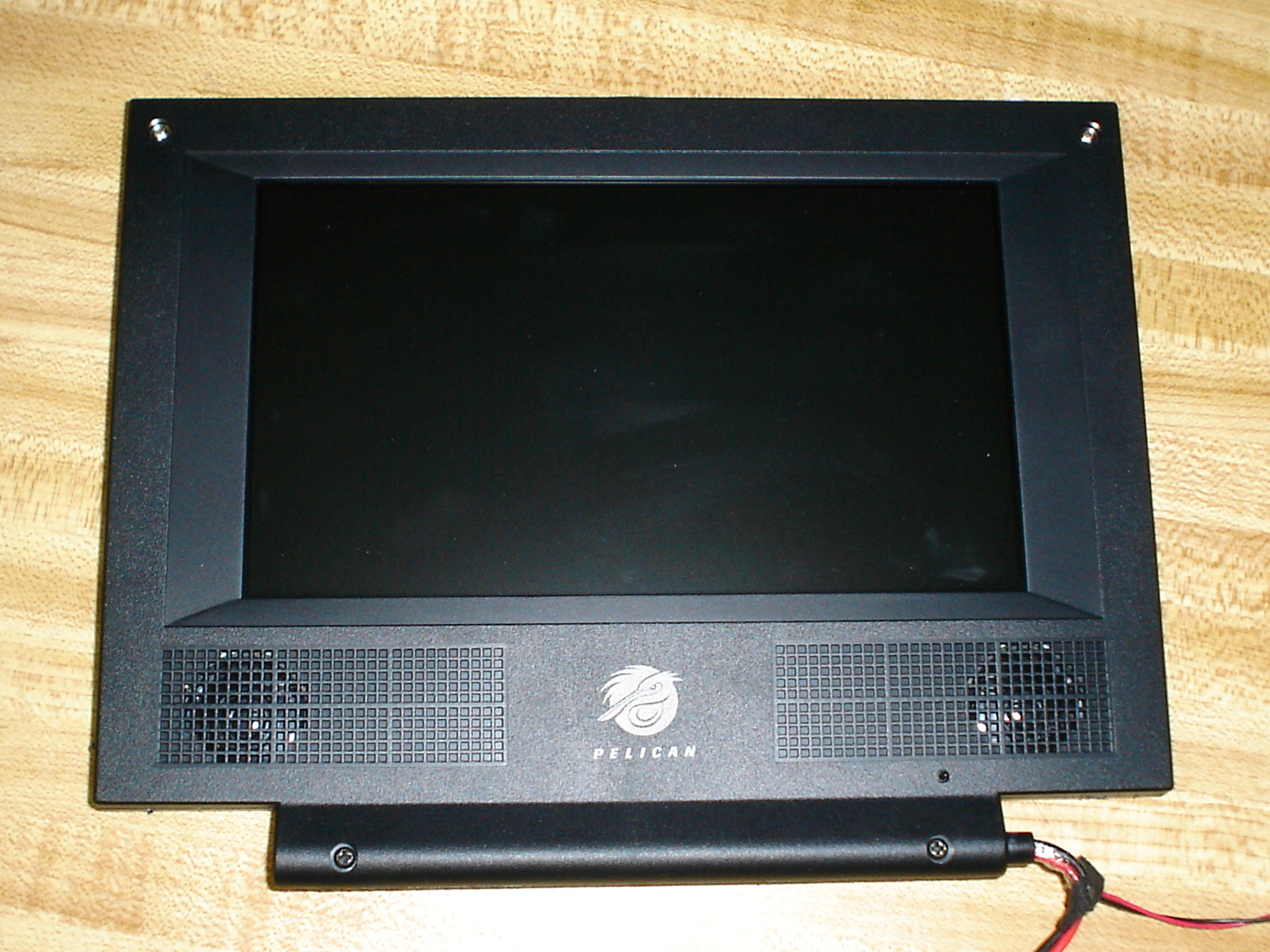
<img width=400 src=http://www.austinbull.com/pictures/gamescreen_front.JPG>
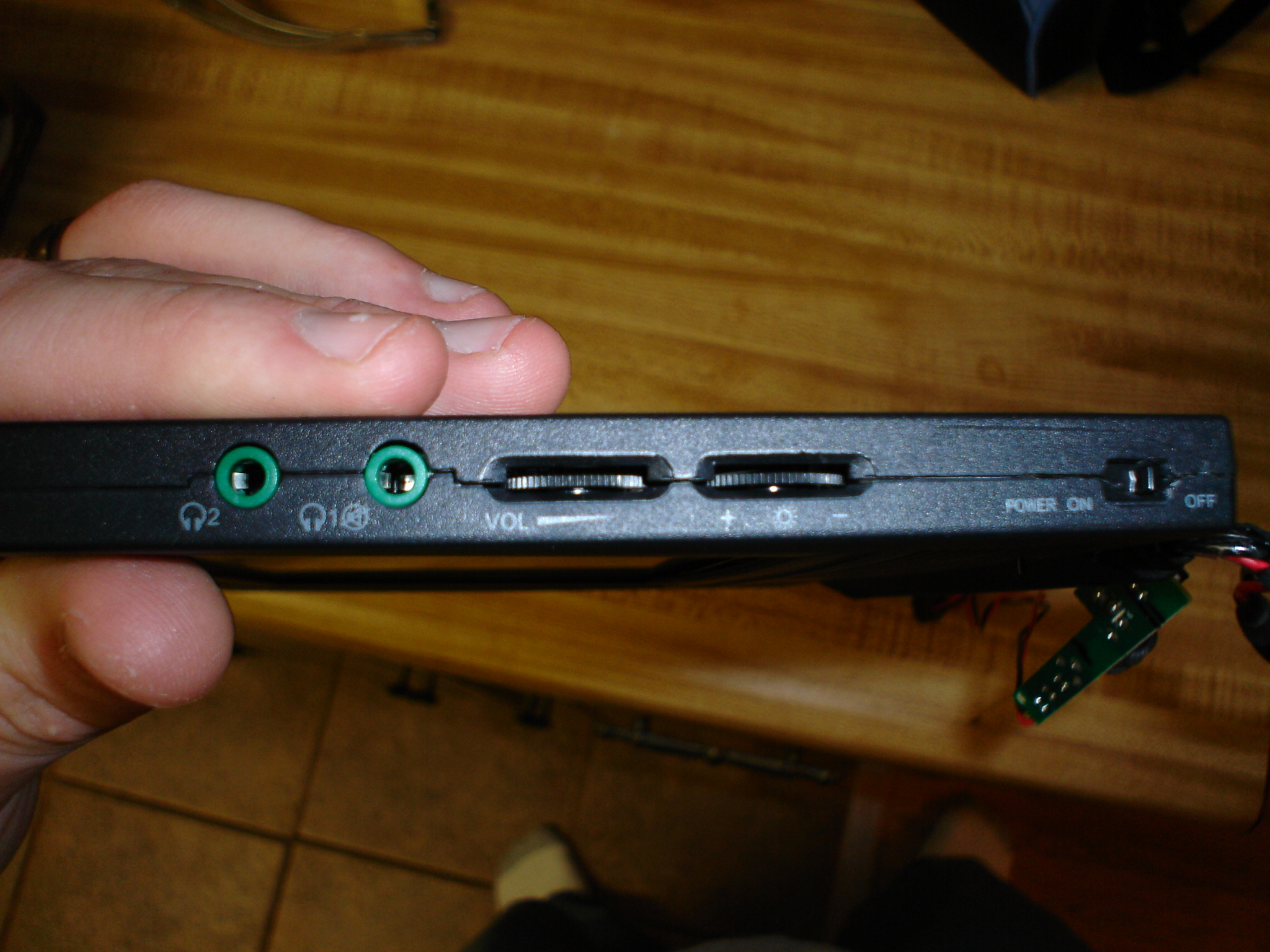
It is a 7" PS2 screen made by Pelican. It has a switch on the side that switches from 4:3 to 16:9. Has volume and brightness controls built into the left side along with dual headphone jacks.
<img width=400 src=http://www.austinbull.com/pictures/screenside.JPG>
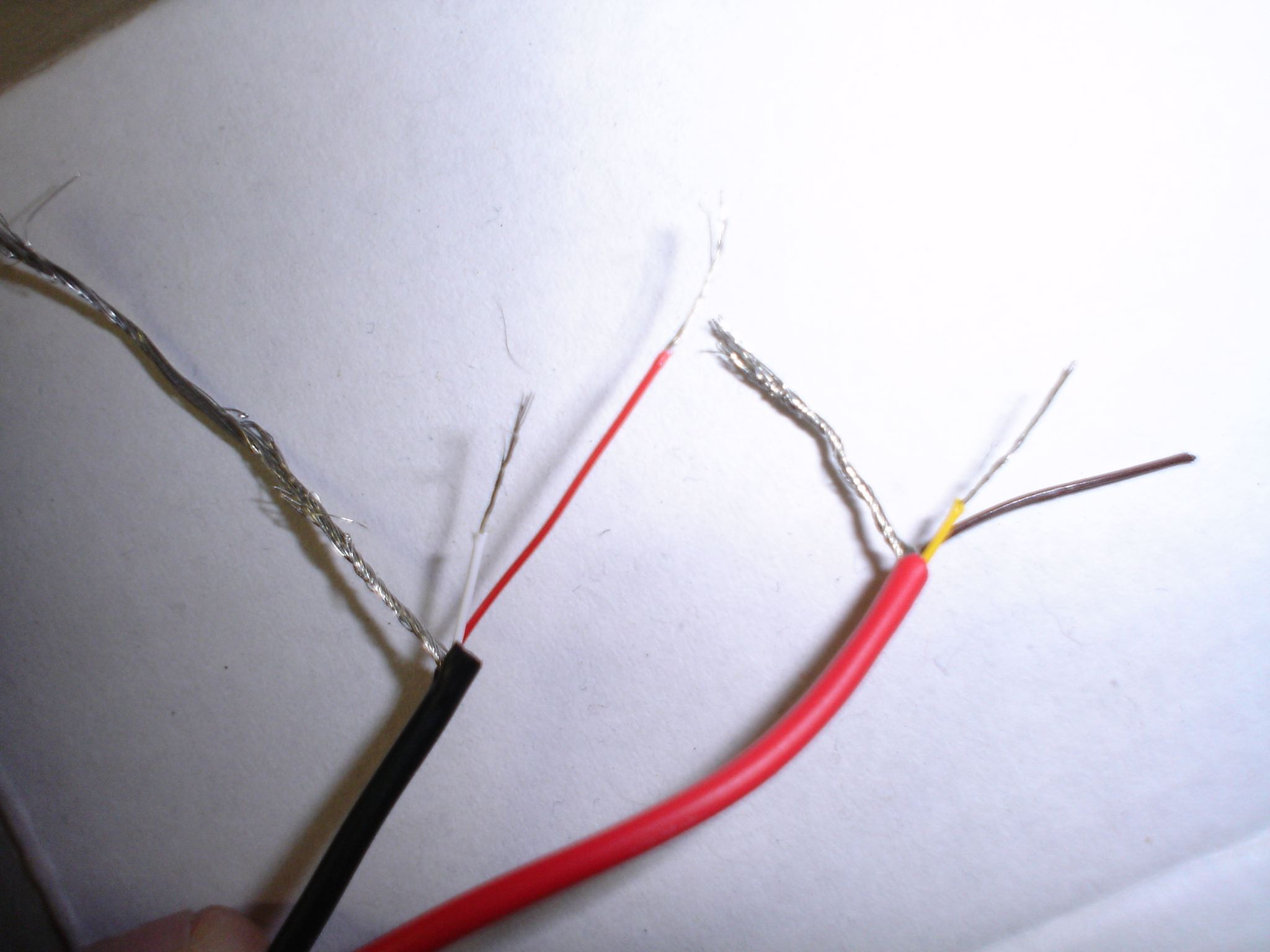
I took it apart, but decided that the case doesn't look that bad and will incorporate it into the case for the snesp. I cut off the PS2 connector and figured out which wires did what rather quickly. Here's a pic of the AV wires.
<img width=400 src=http://www.austinbull.com/pictures/avwires.JPG>
You can't tell from the pictures, but the wires a super small. They were so small that I had a hard time stripping them without cutting them completely.
From what I've seen so far, it is well worth the $49.99 that I got it for. I was so thrilled when they told me the price that I asked if they had another. That price is hard to beat for a 7" screen. If anyone finds one of these and wants to take it out of the case, be careful. There's adhesive attaching the front part of the case to the metal shroud around the LCD. I was able to get it loose with a hair dryer, but I did bend the shroud a little. I know that not doing to LED mod will eat up more battery power, but I'm willing to live with the extra current draw. As for the old Interact screen, I can help anyone with the pin out since I had everything traced out before the accident.
check out this find
Moderator: Moderators

I think so, but I don't know for sure. I've only been able to find the pin out for the psone. I can trace out all the cables on the plug and tell you what pins they go to if you want.sammy wrote:Does it input rgb?
Gamestop. I was suprised that the had one.Skyone wrote:I'm sympathetic for you.
Where'd you get it?
Ok. I traced everything out and here's what I found. I'm pretty sure that the screen won't accept RGB. There's only four wires if you take away the two grounds. Below is a picture of the PS2 connector that I cut off of the screen. I counted pins from left to right starting with 1 and ending with 12.
<img width=400 src=http://www.austinbull.com/pictures/connector.JPG>
- Pin 5 is connected to the ground for the video (bundled with the yellow and brown wire).
- Pin 6 is connected to the brown wire pictured in the picture below. I don't know what it is for, and from my testing it isn't needed with the setup that I'm going to use.
- Pin 8 is connected to the yellow wire which is the composite video
- Pin 11 is connected to the white wire which is the left audio
- Pin 9 is connected to the red wire which is the right audio
- Pins 10 and 12 are connected to the ground bundled with the right and left audio
<img width=400 src=http://www.austinbull.com/pictures/avwires.JPG>
<img width=400 src=http://www.austinbull.com/pictures/connector.JPG>
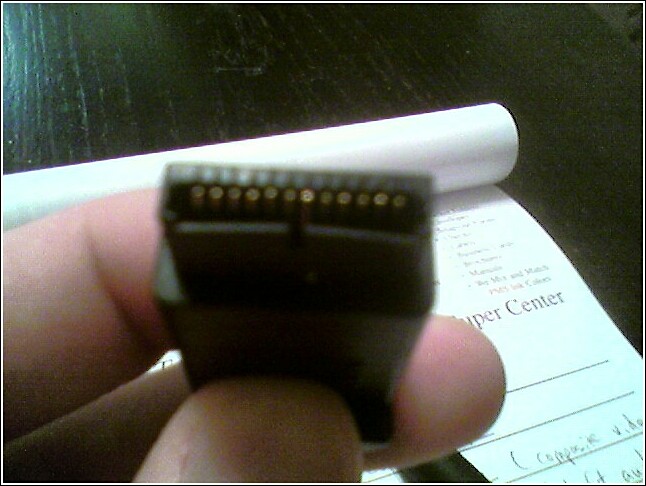
- Pin 5 is connected to the ground for the video (bundled with the yellow and brown wire).
- Pin 6 is connected to the brown wire pictured in the picture below. I don't know what it is for, and from my testing it isn't needed with the setup that I'm going to use.
- Pin 8 is connected to the yellow wire which is the composite video
- Pin 11 is connected to the white wire which is the left audio
- Pin 9 is connected to the red wire which is the right audio
- Pins 10 and 12 are connected to the ground bundled with the right and left audio
<img width=400 src=http://www.austinbull.com/pictures/avwires.JPG>