Hey, My freind Kyle just got a old IBM Think pad, It has Windows 98 on it, and a Pentium 2.
Im good with computers as I took a 2.5 Year Course on them.
My freinds Laptop has a few keys that dont work.
The right and Up arrow keys, and the G and H keys do not work.
and He only has like 300 MB left on the Laptop (I can get more space for him), and He has a something weird with the screen,
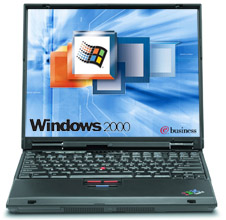
Heres a DRAWN Pic: Its supposed to be like this: http://www.laptopcloseout.com/usa/media ... 23_222.jpg
and Its like this.
http://img.photobucket.com/albums/v239/Kao1/PC.jpg
And His battery wont charge either..
He want me to fix All those problems (Or atleast try) (Problems are: Low Space, Screen problem, Key problems, Wont charge Problem)
and In return I get a Sega Genesis (Rev 1.. I think), with 6 games.
and a Atari 2600 Jr. with like over 20 Games.
Is that a Good deal? and Could I easily Portablize The Sega Genesis, and Atari 2600 Jr?
Thanks.
PS: How can i fix the screen Problem for him?
Good Deal?
Moderator: Moderators
-
Sword_Gun
- Posts: 1008
- Joined: Sat Feb 25, 2006 10:31 pm
- Location: Somewhere rapping with DeTsL
- Contact:
Good Deal?

Official Beta Quest Hunter
Official Alpha Quest Hunter
NES NOW!!: DONE!
I think you would deserve more.
<img src="http://img494.imageshack.us/img494/8505 ... .jpg"><img src="http://stuff.sonicenema.com/pickies/acceptchrist.jpg">
Do you want to be axepwned?
Do you want to be axepwned?
-
PancakeGoblin
- Posts: 121
- Joined: Mon Apr 24, 2006 6:43 am
- Location: Behind You!!
Re: Good Deal?
You can't fix the keys, screen will cost a good $100 to replace at least, battery will cost $70 to get a new one, and space is simply reinstall windows.Sword_Gun wrote:Hey, My freind Kyle just got a old IBM Think pad, It has Windows 98 on it, and a Pentium 2.
Im good with computers as I took a 2.5 Year Course on them.
My freinds Laptop has a few keys that dont work.
The right and Up arrow keys, and the G and H keys do not work.
and He only has like 300 MB left on the Laptop (I can get more space for him), and He has a something weird with the screen,
Heres a DRAWN Pic: Its supposed to be like this: http://www.laptopcloseout.com/usa/media ... 23_222.jpg
and Its like this.
http://img.photobucket.com/albums/v239/Kao1/PC.jpg
And His battery wont charge either..
He want me to fix All those problems (Or atleast try) (Problems are: Low Space, Screen problem, Key problems, Wont charge Problem)
and In return I get a Sega Genesis (Rev 1.. I think), with 6 games.
and a Atari 2600 Jr. with like over 20 Games.
Is that a Good deal? and Could I easily Portablize The Sega Genesis, and Atari 2600 Jr?
Thanks.
PS: How can i fix the screen Problem for him?
Might as well just throw away the laptop.

Yes, I'm Jeff. There you have it.
-
PancakeGoblin
- Posts: 121
- Joined: Mon Apr 24, 2006 6:43 am
- Location: Behind You!!
The screen flat out needs to be replaced, the ones from IBM in that era are very prone to burning out and magnetic errors...Sword_Gun wrote:Well I can probably Fix the Computer in like 3 hours.
and Oh I get 35 Games for Atari not 20.
and Whats up with the screen?
Like is it gonna blow?
If you could fix it in 3 weeks i'd be suprised (seriously).
Its not worth it mate.
Yes, I'm Jeff. There you have it.

-
PancakeGoblin
- Posts: 121
- Joined: Mon Apr 24, 2006 6:43 am
- Location: Behind You!!

-
marshallh
- Moderator
- Posts: 2987
- Joined: Sat Sep 10, 2005 2:17 pm
- 360 GamerTag: marshallh
- Location: here and there
- Contact:
Change the screen resolution (I'd bet it's only running at 640x480), open up the battery pack and see what cell types are in it and how many volts, how many cells etc. If they're Li-ion and you are willing to spend a few bucks, you can order qualcomm cell phone batteries from allelectronics.com that have common cell types in them.
The keyboard will be hard to fix, it might just be a dirty keyboard.
The keyboard will be hard to fix, it might just be a dirty keyboard.

-
PancakeGoblin
- Posts: 121
- Joined: Mon Apr 24, 2006 6:43 am
- Location: Behind You!!



-
gannon
- Moderator
- Posts: 6974
- Joined: Sun Apr 04, 2004 4:48 pm
- Location: Near that one big lake
- Contact:
I'd pop off the keys that aren't working, check to make sure the springs or rubber (probably rubber) are working right, if they are then remove the entire keyboard and check out the matrix to see if it's damaged at all.
As for the screen, looks like it's just set at the wrong resolution. The battery is probably dead and needs to be replaced (or you could make a custum pack depending on what type it is)
As for the screen, looks like it's just set at the wrong resolution. The battery is probably dead and needs to be replaced (or you could make a custum pack depending on what type it is)
-
bicostp
- Moderator
- Posts: 10491
- Joined: Mon Mar 07, 2005 5:47 pm
- Steam ID: bicostp
- Location: Spamalot
- Contact:
1. remove the faulty keys, sometimes there's garbage in the keyboard that stops them from working right.
2. As far as the screen goes, you don't need to replace it at all. Change the Windows desktop resolution to the monitor's native resolution (most likely 1024x768). For lower resolutions check the BIOS Setup to see if there's an LCD scaling feature, so it will use the whole screen. (It's there on my Sattelite Pro, but it's a Toshiba. It may be there on the ThinkPad.
3. Battery: It's dead. Junk. Garbage. If you're really desperate, clean the contacts with alcohol and try completely draining and charging it a couple times. If there's still no difference, clean the contacts again, put it in a plastic bag and freeze it for 12 hours. Then pull it out, let it thaw at room temperature, wipe it dry and try again. (I read this in Popular Sciance.)
4. Hard drive space: Install Linux. Or if your friend needs his precious little Windows, write down all the driver information and reinstall if possible. If not, then run Ad-Aware, Disk Cleanup, defragmenter (in Safe Mode) and SmitRem to get rid of a bunch of random junk. Uninstall crap like AOL and useless Windows features, and if you really want to squeeze more space out of it you can run 98lite.
2. As far as the screen goes, you don't need to replace it at all. Change the Windows desktop resolution to the monitor's native resolution (most likely 1024x768). For lower resolutions check the BIOS Setup to see if there's an LCD scaling feature, so it will use the whole screen. (It's there on my Sattelite Pro, but it's a Toshiba. It may be there on the ThinkPad.
3. Battery: It's dead. Junk. Garbage. If you're really desperate, clean the contacts with alcohol and try completely draining and charging it a couple times. If there's still no difference, clean the contacts again, put it in a plastic bag and freeze it for 12 hours. Then pull it out, let it thaw at room temperature, wipe it dry and try again. (I read this in Popular Sciance.)
4. Hard drive space: Install Linux. Or if your friend needs his precious little Windows, write down all the driver information and reinstall if possible. If not, then run Ad-Aware, Disk Cleanup, defragmenter (in Safe Mode) and SmitRem to get rid of a bunch of random junk. Uninstall crap like AOL and useless Windows features, and if you really want to squeeze more space out of it you can run 98lite.
Twitter
http://www.pcwgaming.com" onclick="window.open(this.href);return false;
If you want a Dropbox account, please use my referral link
http://www.pcwgaming.com" onclick="window.open(this.href);return false;
If you want a Dropbox account, please use my referral link