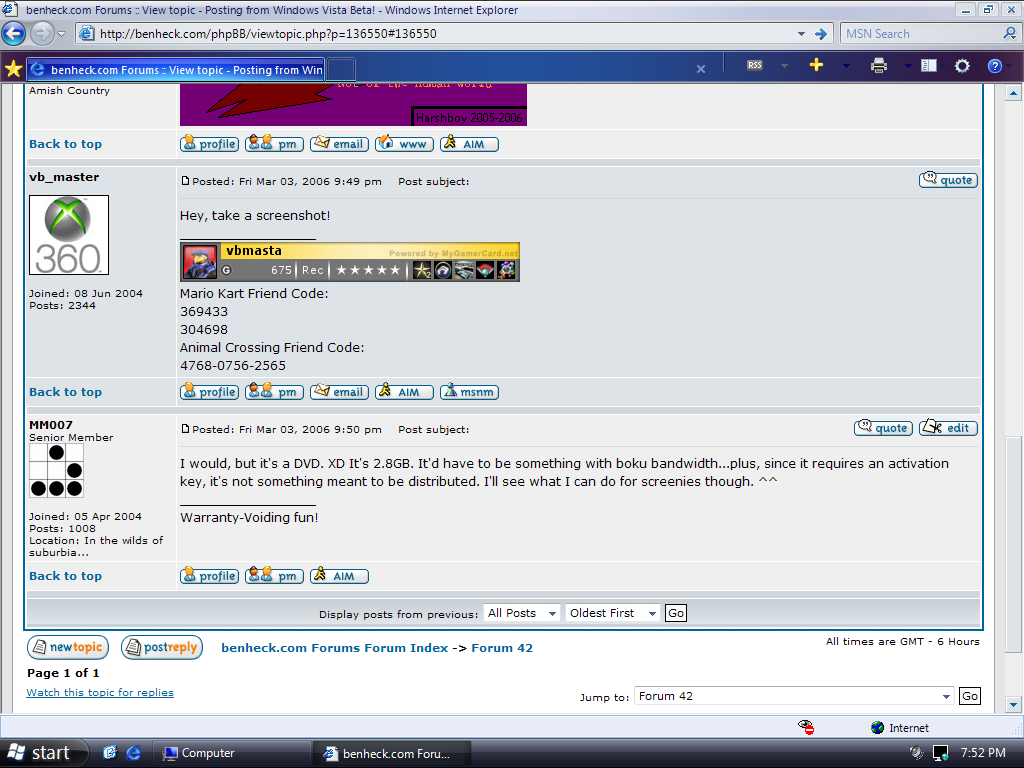
I'm currently posting from IE7 on the Windows Vista Pre-Beta 2, Build 5231. It's the October 2005 release, and the first thing I've noticed is that THIS IE revision has Firefox-like tabs. ^^
I obtained a copy from my boss at work, and so far, it's pretty nice...though it took some hours to install, even on my Pentium 4. It looks spiffy, but that's not everything. I'll be looking into it though. ^^
Right now, it is using XP drivers and even has the XP boot noise.
Posting from Windows Vista Beta!
Moderator: Moderators
Posting from Windows Vista Beta!
Warranty-Voiding fun!


I would, but it's a DVD. It's 2.8GB. It'd have to be something with boku bandwidth...plus, since it requires an activation key, it's not something meant to be distributed. I'll see what I can do for screenies though. ^^
Last edited by MM007 on Fri Mar 03, 2006 10:14 pm, edited 1 time in total.
Warranty-Voiding fun!
Yes do a PrtSc for us!!!!!!!vb_master wrote:Hey, take a screenshot!
Dang, I really want the BETA!!!!! ArgMM007 wrote:I would, but it's a DVD. XD It's 2.8GB. It'd have to be something with boku bandwidth...plus, since it requires an activation key, it's not something meant to be distributed. I'll see what I can do for screenies though. ^^

Just found IE 7 BETA for Win XP!!!!!!
http://www.softwarepatch.com/windows/in ... orer7.html
Here's nine pictures of Windows Vista Build 5231!
Picture captions:
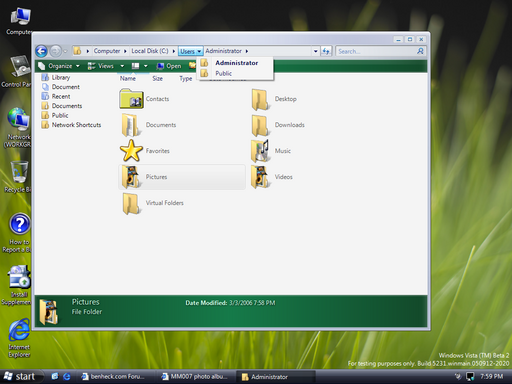
1. Updated NTFS file system. Note the tabs here!
http://i2.photobucket.com/albums/y30/MM ... eenie9.png
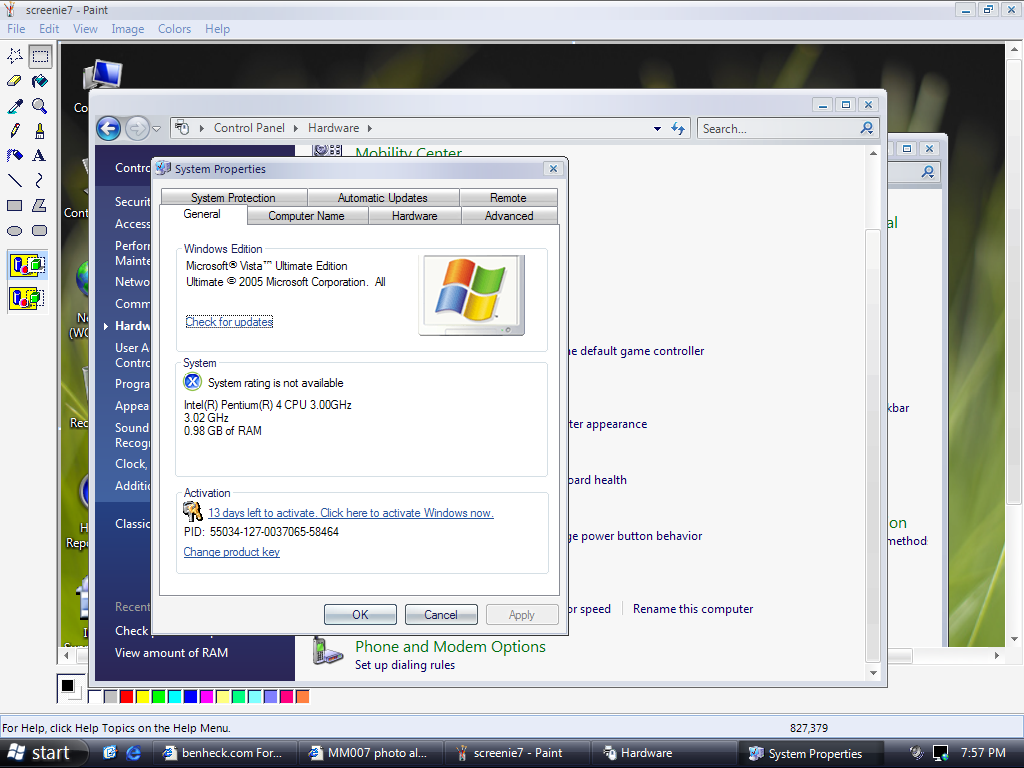
2. General Tab of System Properties
http://i2.photobucket.com/albums/y30/MM ... eenie8.png
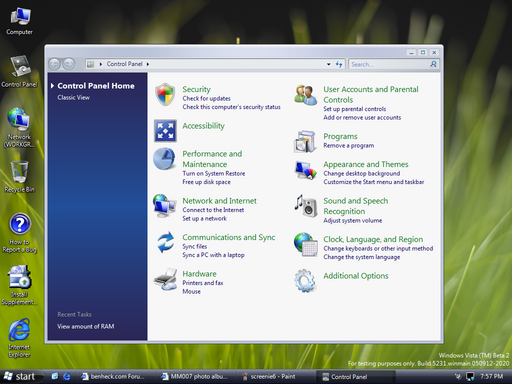
3. Control Panel
http://i2.photobucket.com/albums/y30/MM ... eenie7.png
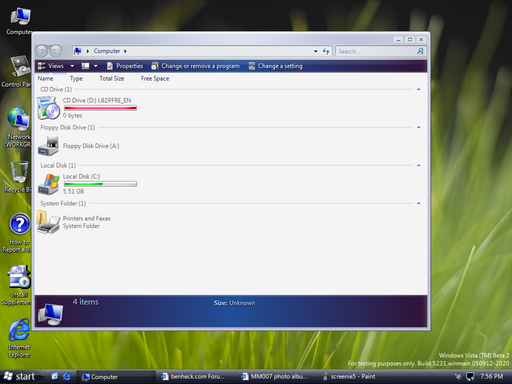
4. My Computer has been replaced by simply Computer.
http://i2.photobucket.com/albums/y30/MM ... eenie6.png
5. WOW! LOOK! TABS! And the About window.
http://i2.photobucket.com/albums/y30/MM ... eenie5.png
6. New Hierarchy for Programs. Less clutter!
http://i2.photobucket.com/albums/y30/MM ... eenie4.png
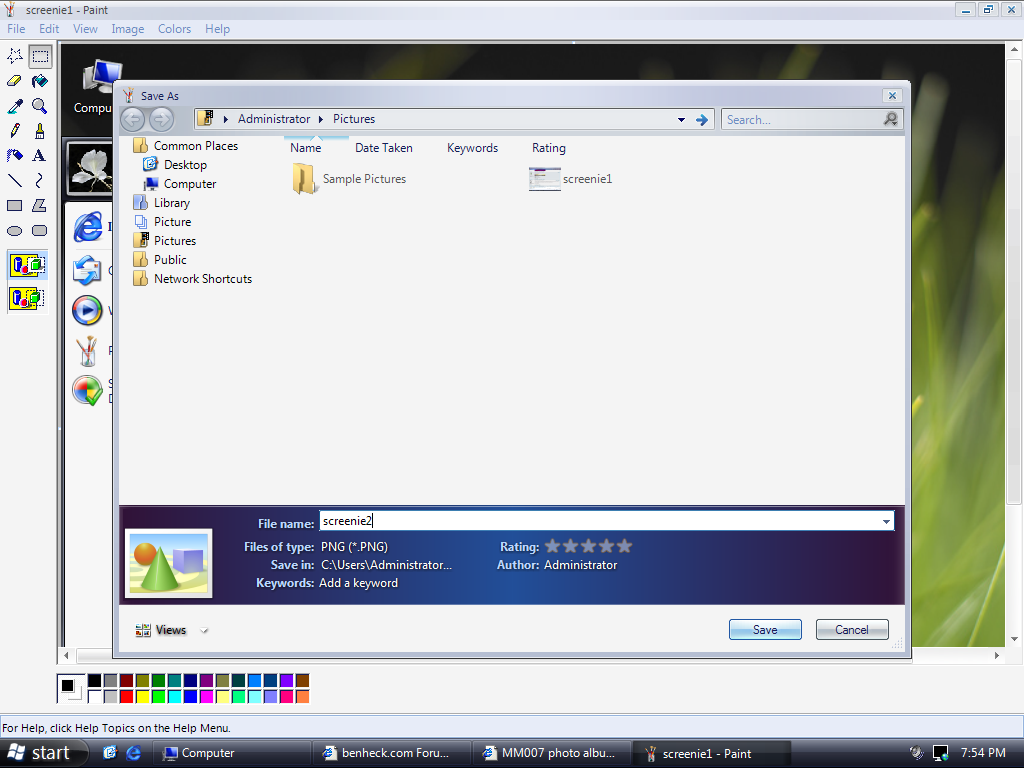
7. Saving a paint image...PNG is the new default!
http://i2.photobucket.com/albums/y30/MM ... eenie3.png
8. Here's the Start Menu.
http://i2.photobucket.com/albums/y30/MM ... eenie2.png
9. Typical shot of IE7 Beta.
http://i2.photobucket.com/albums/y30/MM ... eenie1.png
Picture captions:
1. Updated NTFS file system. Note the tabs here!
http://i2.photobucket.com/albums/y30/MM ... eenie9.png
2. General Tab of System Properties
http://i2.photobucket.com/albums/y30/MM ... eenie8.png
3. Control Panel
http://i2.photobucket.com/albums/y30/MM ... eenie7.png
4. My Computer has been replaced by simply Computer.
http://i2.photobucket.com/albums/y30/MM ... eenie6.png
5. WOW! LOOK! TABS! And the About window.
http://i2.photobucket.com/albums/y30/MM ... eenie5.png
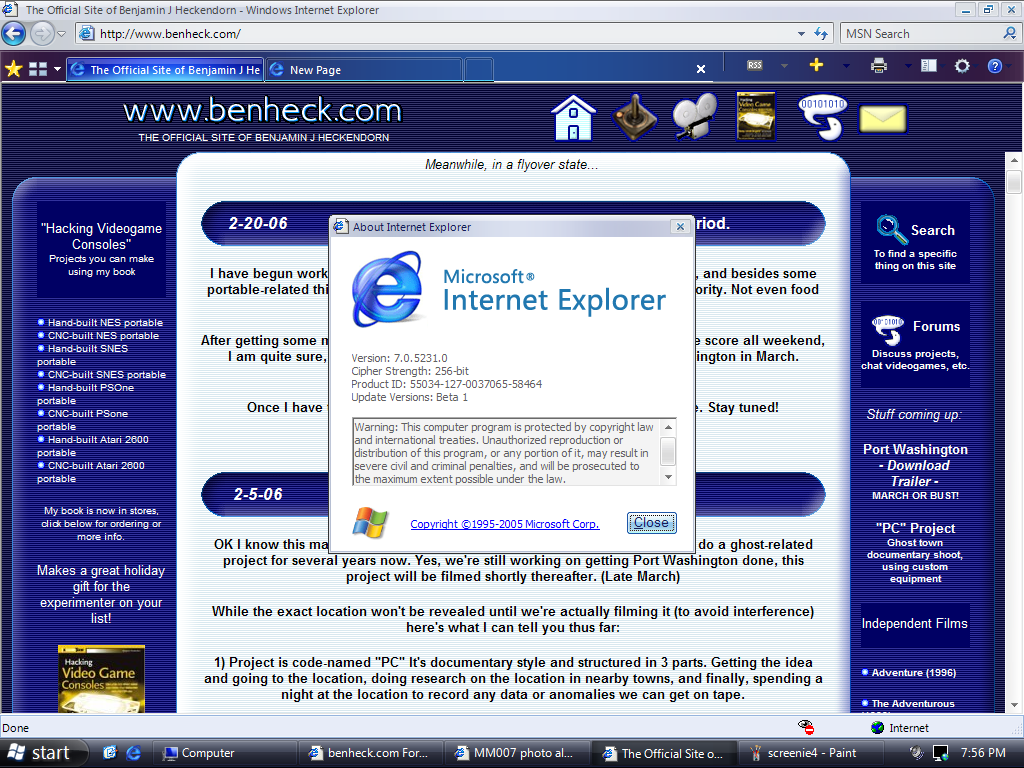
6. New Hierarchy for Programs. Less clutter!
http://i2.photobucket.com/albums/y30/MM ... eenie4.png
7. Saving a paint image...PNG is the new default!
http://i2.photobucket.com/albums/y30/MM ... eenie3.png
8. Here's the Start Menu.
http://i2.photobucket.com/albums/y30/MM ... eenie2.png
9. Typical shot of IE7 Beta.
http://i2.photobucket.com/albums/y30/MM ... eenie1.png
Last edited by MM007 on Fri Mar 03, 2006 10:29 pm, edited 1 time in total.
Warranty-Voiding fun!
-
NES_fanatic
- Posts: 1321
- Joined: Tue Oct 11, 2005 2:46 pm
- Location: Funkytown, USA